> For the complete documentation index, see [llms.txt](https://docs.talentmap.com/knowledge-base/llms.txt). Markdown versions of documentation pages are available by appending `.md` to page URLs; this page is available as [Markdown](https://docs.talentmap.com/knowledge-base/general/product-updates/march-3rd-2026.md).
# March 3rd, 2026
#### **Automated Participant Import**
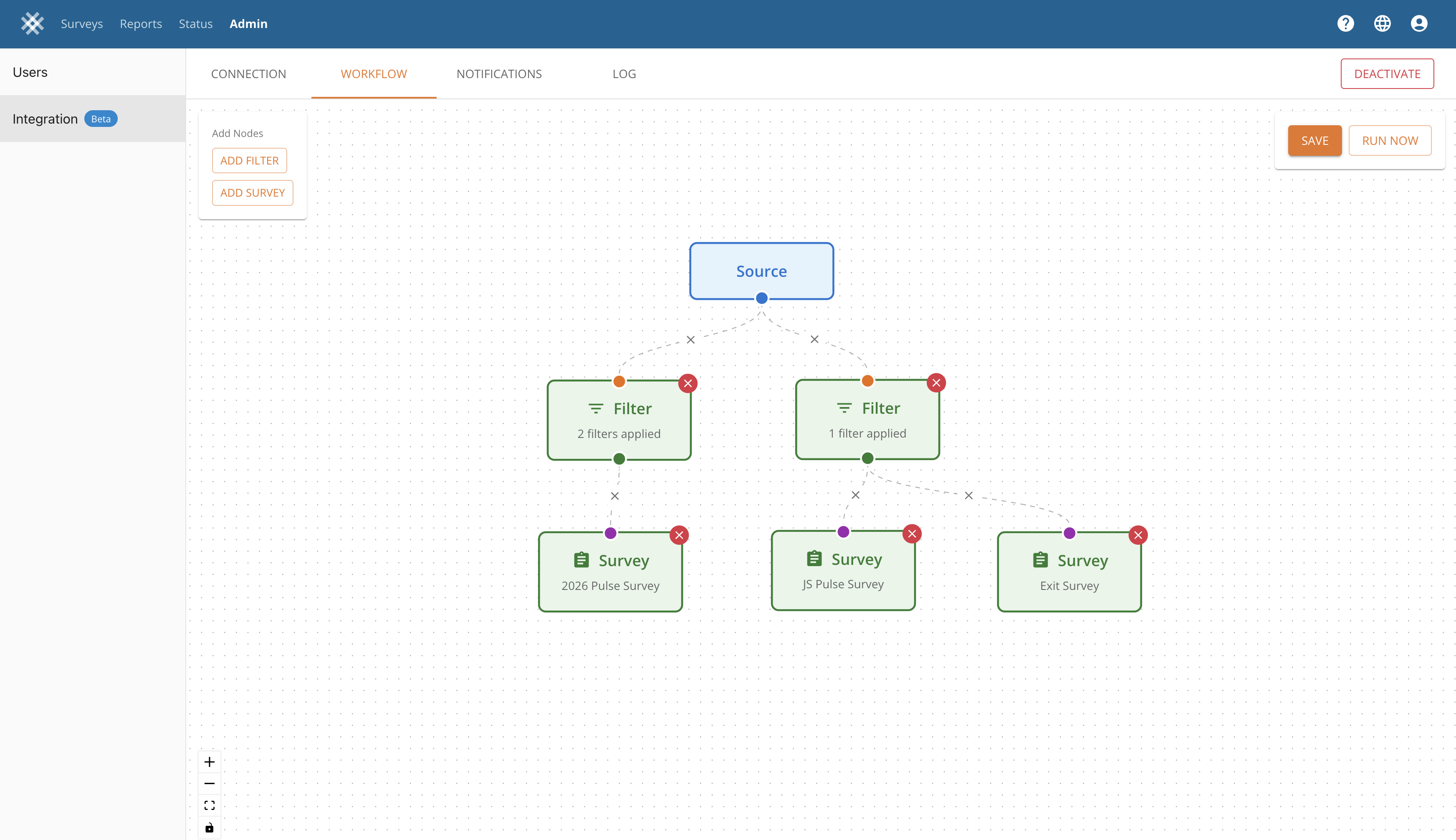
Compass now supports automated participant data imports from multiple HR data sources. This feature is configured by your TalentMap project management team and runs daily to keep your survey participant lists current.
Supported integration types:
* **SFTP** — import from CSV files on your organization's secure file server
* **UKG** — connect directly to UKG (Ultimate Kronos Group) via API
* **BambooHR** — connect directly to BambooHR via OAuth 2.0
* **Microsoft Entra ID** — connect directly to Entra ID (formerly Azure AD) via OAuth 2.0
Key capabilities:
* Automatic daily sync from your organization's HR data source
* Smart filtering to route participants to the correct surveys
* Automatic detection of new data fields
* Email notifications for sync activity, errors, and data gaps
* Complete audit trail of all participant data changes
This feature is available to both managed service and DIY platform clients. For managed service clients, your TalentMap project manager will set up and configure the integration on your behalf. DIY platform clients can configure integrations directly in the Compass admin panel — we recommend an initial setup conversation with our product team to ensure a smooth connection, especially for OAuth-based integrations (BambooHR, Entra ID). Your IT department may need to be involved to provide credentials or approve access.
**Known limitations (V1):**
* One integration per organization
* Participants are not automatically removed if they disappear from the source data
* Single notification email address per integration
[Integrations: Connecting Your HR Data Source](/knowledge-base/step-5-analyze-interpret-and-report/compass-admin/integrations-connecting-your-hr-data-source.md)
---
# Agent Instructions
This documentation is published with GitBook. GitBook is the documentation platform designed so that both humans and AI agents can read, navigate, and reason over technical content effectively. Learn more at gitbook.com.
## Querying This Documentation
If you need additional information that is not directly available in this page, you can query the documentation by asking a question.
Perform an HTTP GET request on the following URL with the `ask` and `goal` query parameters:
```
GET https://docs.talentmap.com/knowledge-base/general/product-updates/march-3rd-2026.md?ask=&goal=
```
`ask` is the immediate question: it should be specific, self-contained, and written in natural language.
`goal` is what the user is ultimately trying to achieve, the reason they need the answer. Sharing it helps GitBook give you a better, more relevant answer. A goal is most helpful when it describes the outcome the user wants rather than restating the question. For example, with `ask=how do I create an API token`, a goal like `automate deployments from our CI pipeline` lets GitBook tailor the answer to that use case.
The response will contain a direct answer to the question and relevant excerpts and sources from the documentation.
Use this mechanism when the answer is not explicitly present in the current page, you need clarification or additional context, or you want to retrieve related documentation sections.